

Welcome to
TRB's New Digital Banking Platform

Urgent Reminders
Know Your Full Username/Password. No fields will be pre-filled. Be prepared to enter your full, current username.
Token Users.  Have your new token ready. Digital token users, be prepared to use the Symantec VIP Access.
New TRB Mobile App.  Remember to download our new TRB Mobile App.
New Desktop Login. All online banking will now login through the same login box on TRB's homepage.
Live Training Schedule
| Date | Duration | 10:00 AM Session | 2:00 PM Session |
|---|---|---|---|
| March 9 | 1 hour | Register Now Join Live | Register Now Join Live |
| March 10 | 1 hour | Register Now Join Live | Register Now Join Live |
| March 11 | 1 hour | Register Now Join Live | Register Now Join Live |
Recorded Training Sessions
Landing Page Navigation
Transaction Reporting & Details
Activity & Reporting
Wire Initiation
ACH Initiation
Recipient Management
Uploading a Payment File
Important Information for Business Online Banking
Know Your Full Username/Password
- Because usernames are masked, some users may not be familiar with their full username.
- At initial login, no fields will be pre-filled, and biometric authentication, such as fingerprint or facial recognition, will not be available.
- All users should be prepared to enter their full, current username.
- If you do not know your full username, contact a member of our Conversion Team at (855) 548-6474.
Digital (App) Token Users
- Download the new digital token app, Symantec VIP Access, as soon as possible.
- Your account officer needs each user’s “Credential ID” found inside the app.
- Continue using DIGIPASS through March 8, after which, you may delete DIGIPASS.
- If you have not completed soft-token setup, contact your TRB representative for assistance.
Physical (Hard) Token Users
- All physical tokens will be replaced.
- You will be contacted by an account officer to coordinate delivery and activation of your new token prior to launch.
- Continue using current tokens through March 6 at 6 PM, after which, you may dispose of your old token.
Payroll Processing
- Please review the Important Dates section below when planning payroll activity.
Training Sessions
- Free training sessions with live Q and A are scheduled below. Register now to ensure a smooth transition.
Recurring Transactions
- Recurring transaction templates (ACH and Internal Transfers) will not convert and will need to be recreated in the new platform.
- Review and record all future scheduled payments prior to conversion.
- To help streamline data migration, review and delete any stored Wire or ACH templates that are no longer in use.
Account Alerts
- Account alerts will not convert and will need to be reactivated in the new platform.
- Make a list of existing account notifications (email/text) to ensure the new platform performs to your current preferences.
Online Banking Service Interruption
- Please note: During conversion, all access to online banking will be unavailable from Friday, March 6 at 6 PM through Monday, March 9 at 8 AM.
- Current access becomes unavailable- Fri. 3/6 at 6 PM
- New platform becomes live- Mon. 3/9 at 8 AM
Important Dates
Please note the following important dates and deadlines about our New Online and Mobile Banking conversion, coming March 9, 2026.| Wed. March 4, 2026 | The following proactive measures are strongly recommended:
|
|
|---|---|---|
| Thur. March 5 | Last day to use Bill Pay | |
|---|---|---|
| Fri. March 6 |
|
|
|---|---|---|
| Mon. March 9 Reminders |
|
|
|---|---|---|
USER GUIDES
Step-by-step guides and resources to help you navigate Consumer and Business Online Banking with ease.
FREQUENTLY ASKED QUESTIONS
Find answers to common questions about Consumer and Business Online Banking—all in one place.
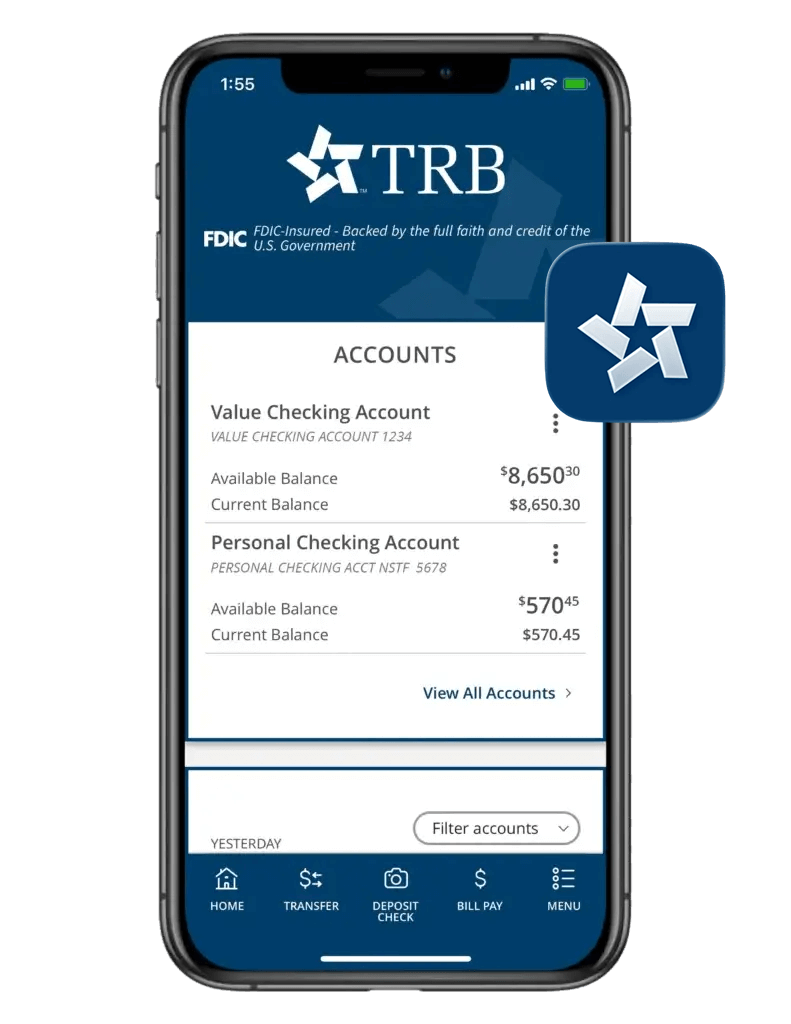
New TRB Mobile Banking App
As part of our online banking conversion, all users will transition to the new TRB Mobile Banking app. After go-live, this app will be your new home for banking on-the-go.
Please continue using your current mobile banking app through March 6. Beginning March 9, you will transition to the new TRB Mobile Banking app.
Download now, so you're ready on day one.


Online Banking User Guides
Business User Guide
Business Online Banking

Business Online Banking

Positive Pay
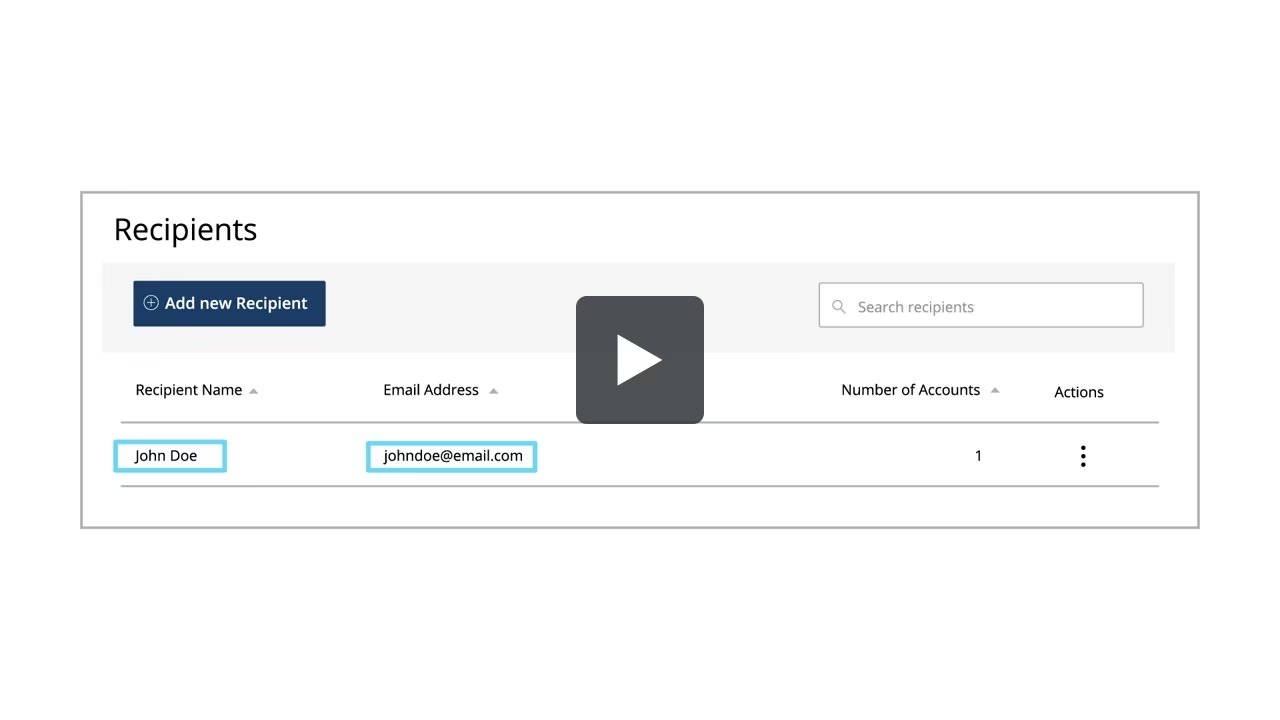
Recipient Overview
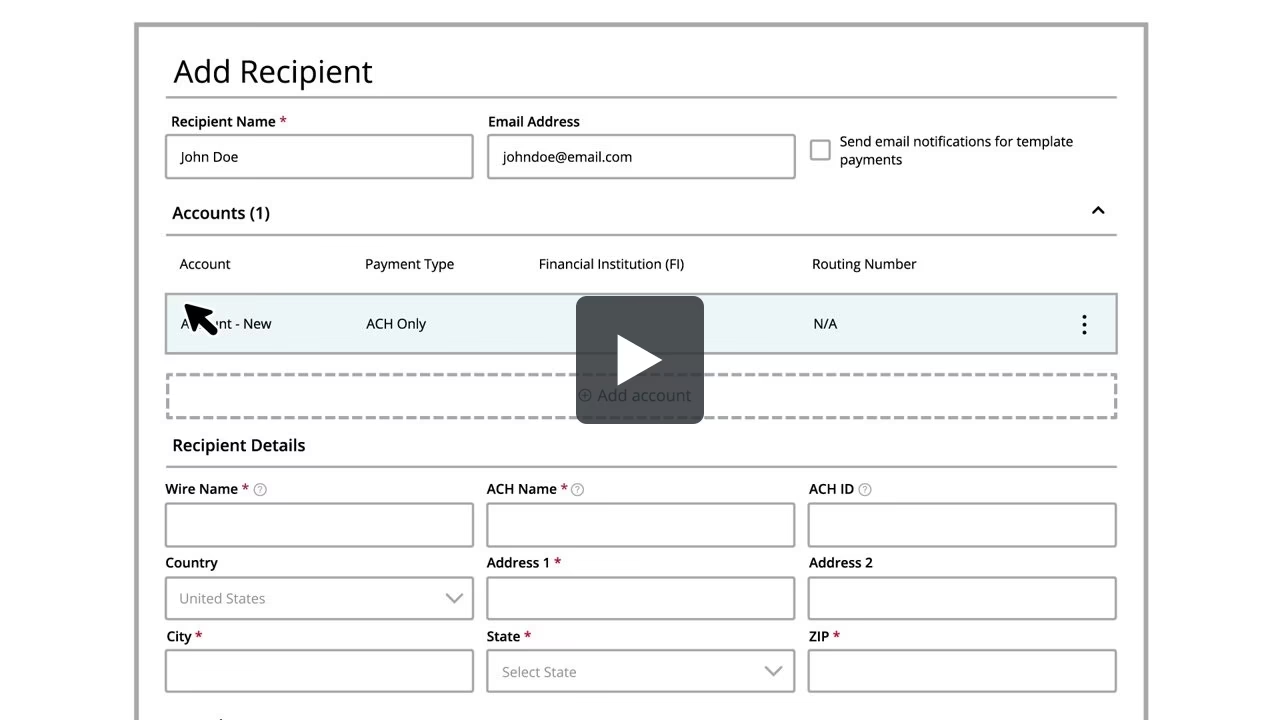
Recipients Setup – ACH
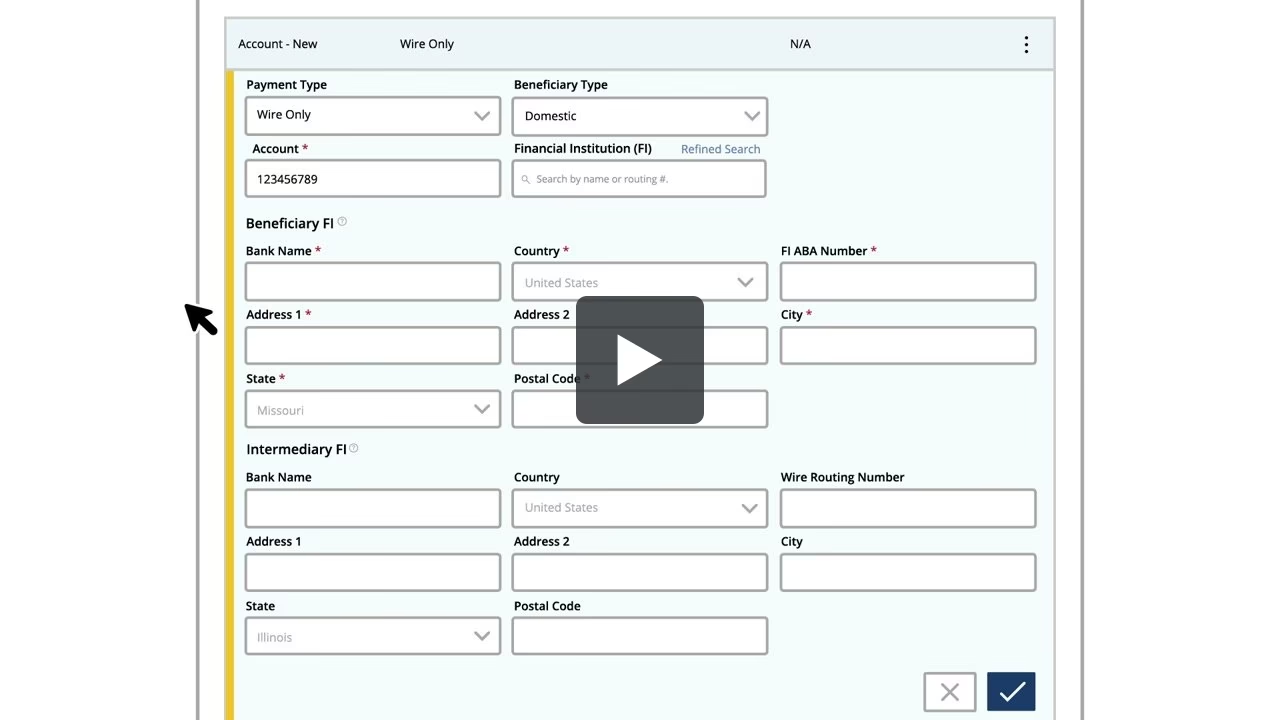
Recipients Setup – Domestic Wires
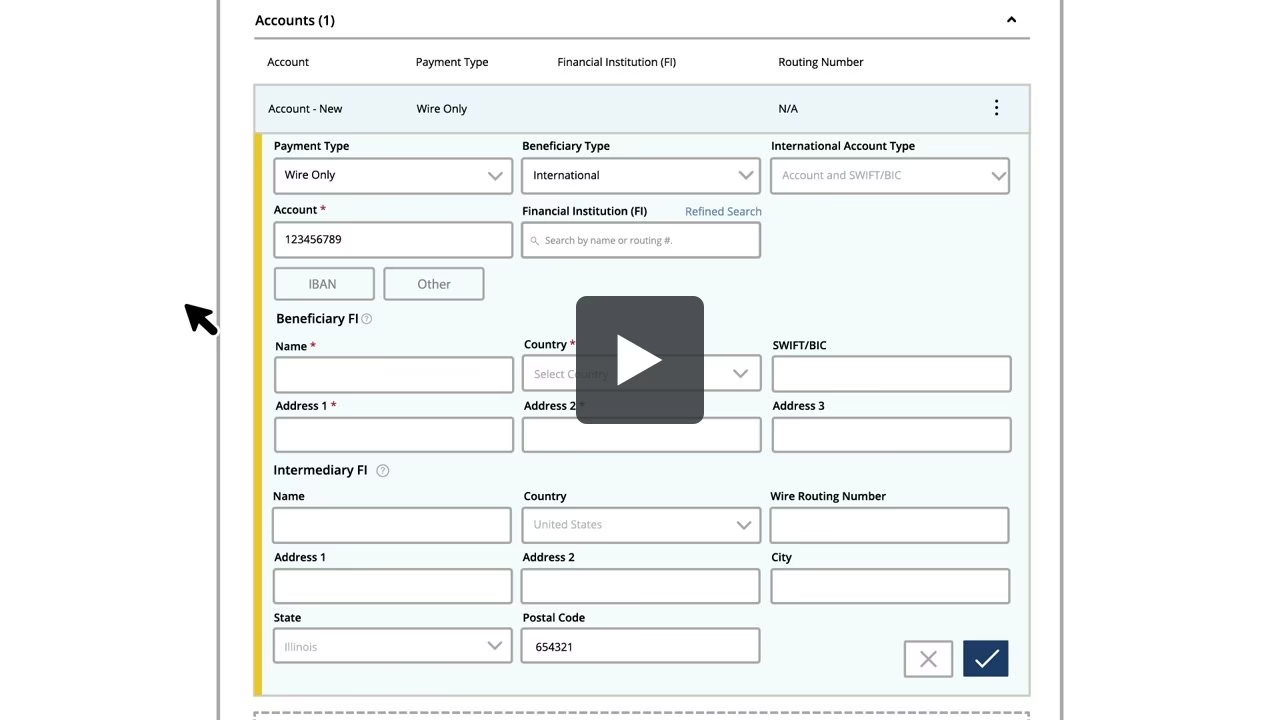
Recipients Setup – International Wires
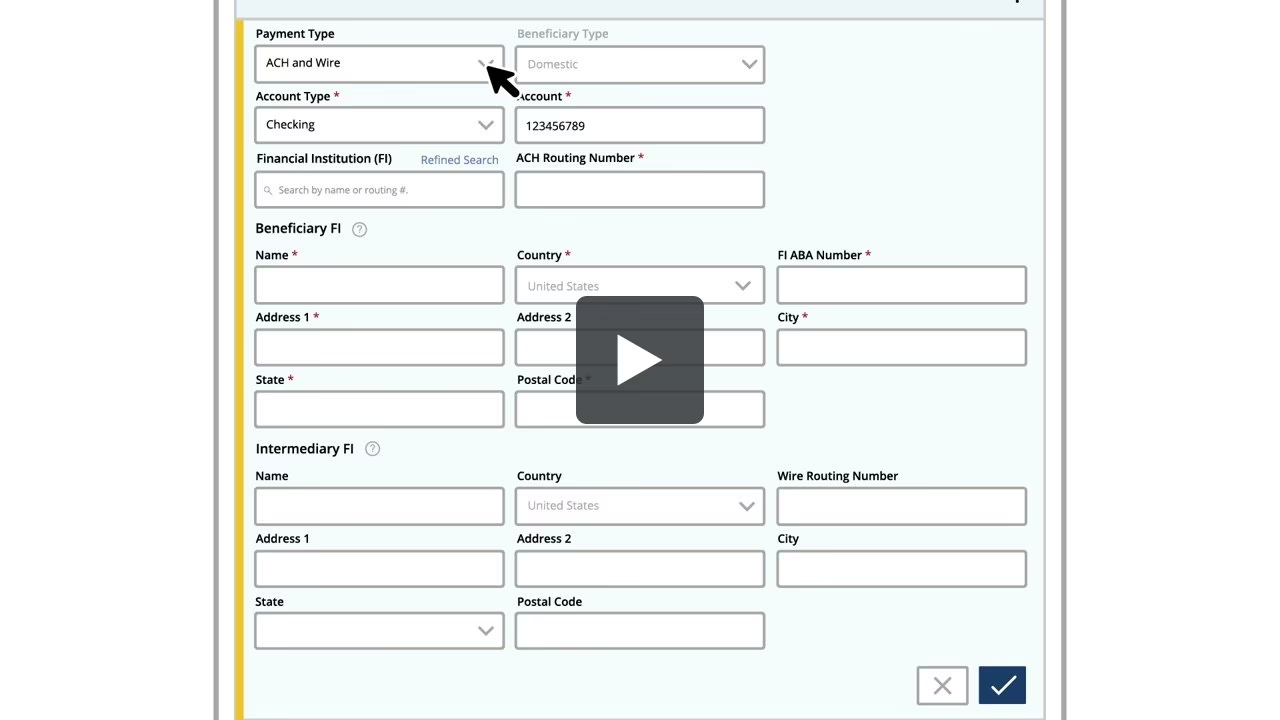
Recipients Setup – ACH and Wires
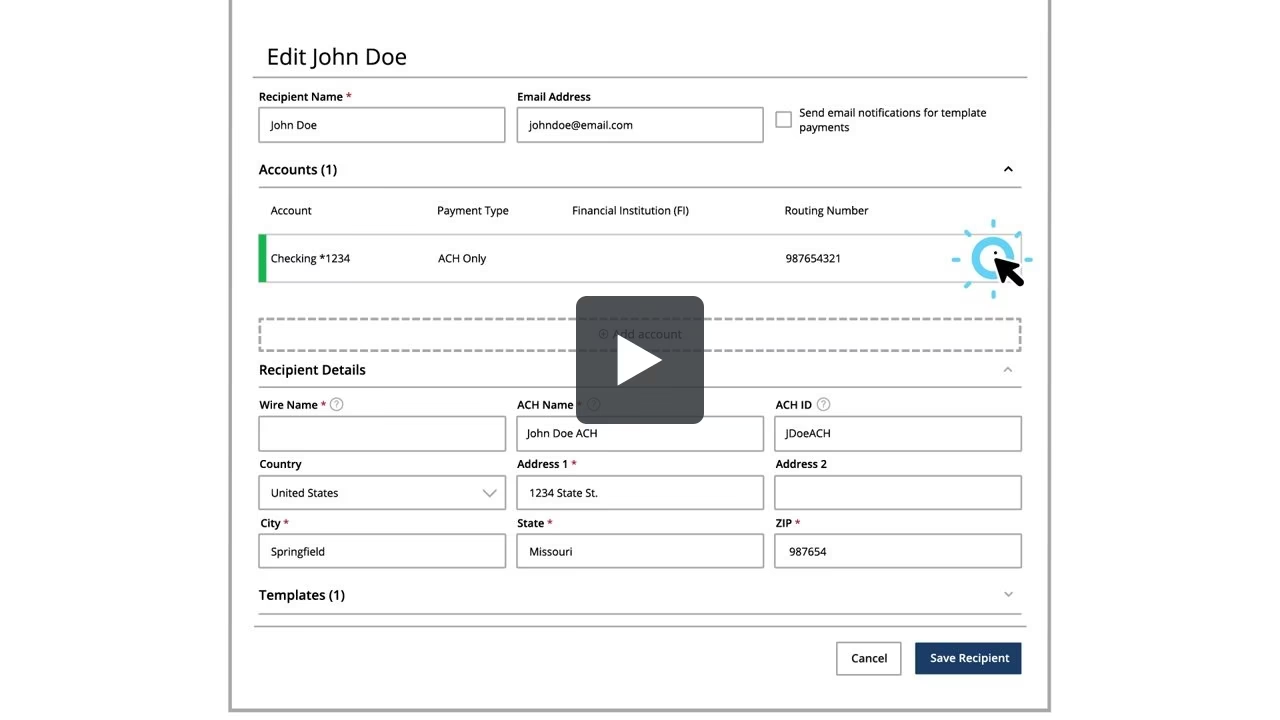
Editing or Deleting a Recipient
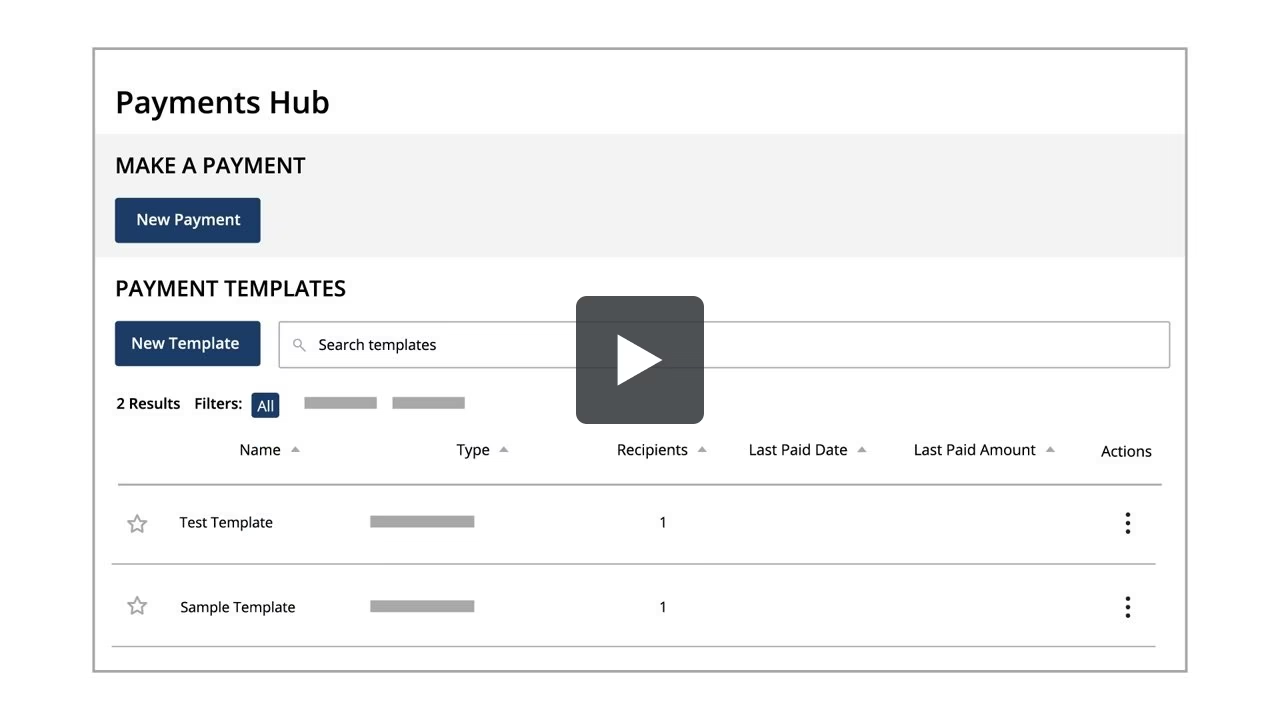
Managing Templates
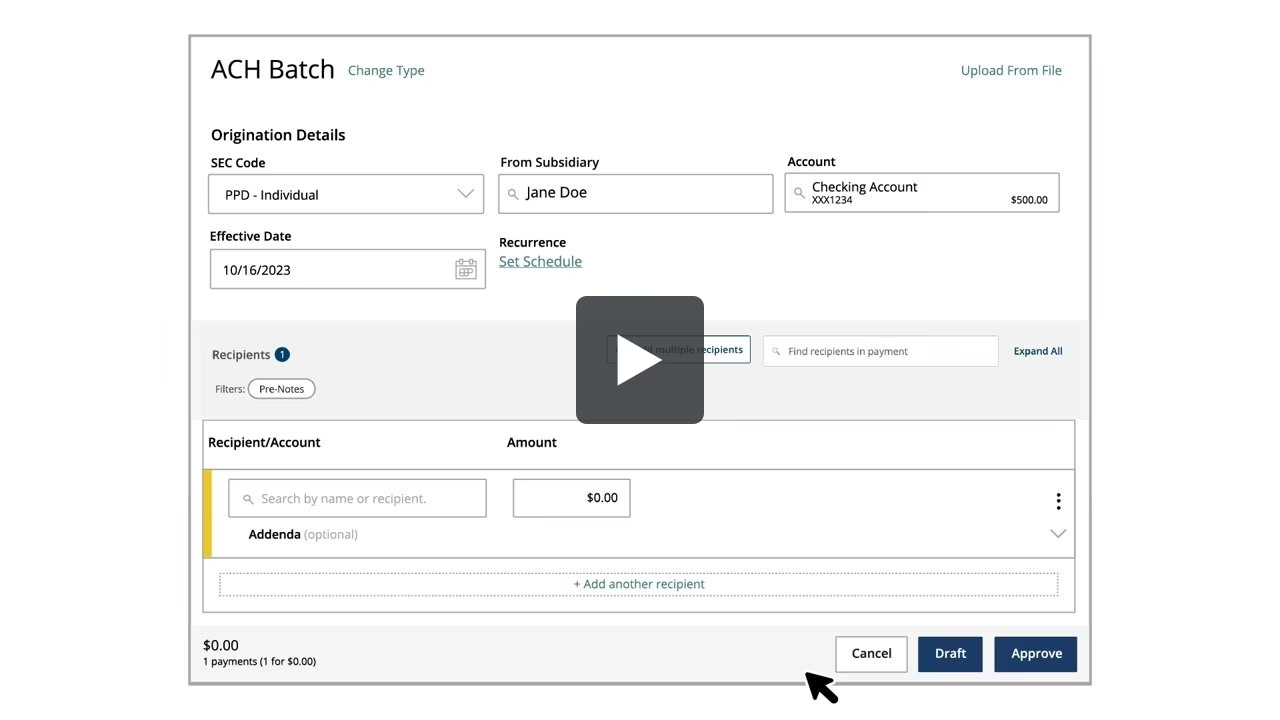
Creating an ACH Batch
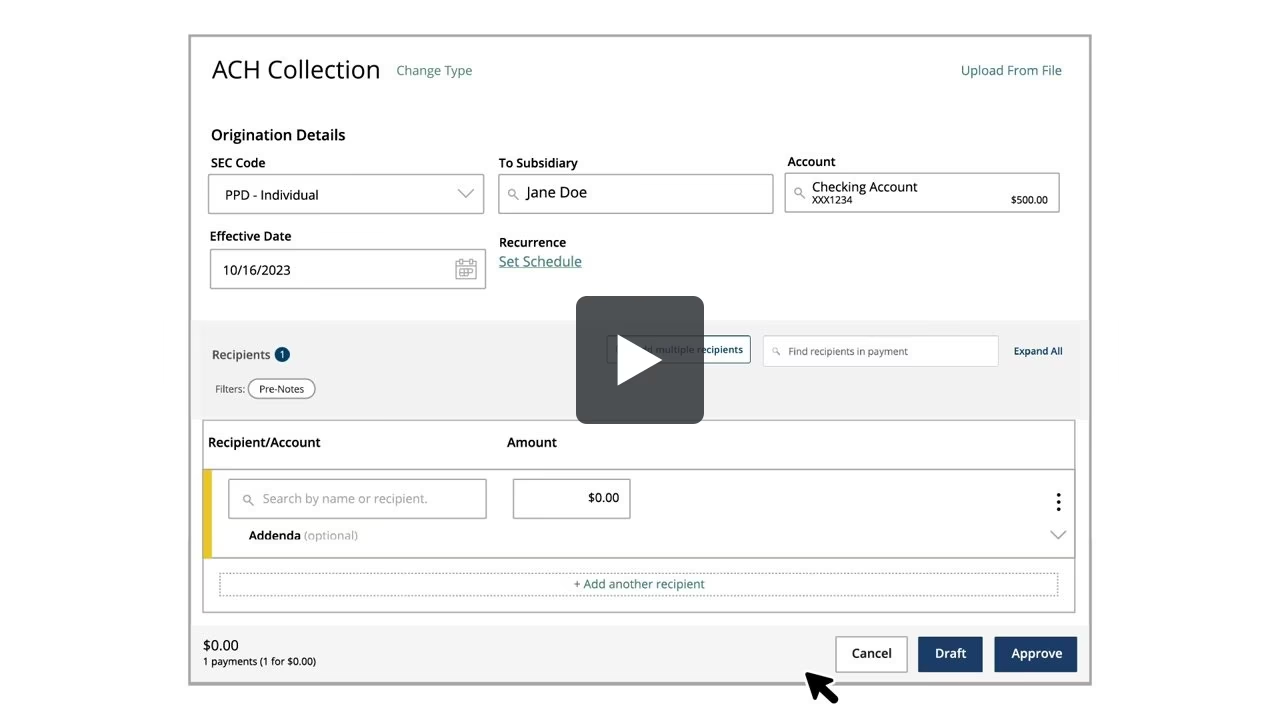
Creating an ACH Collection
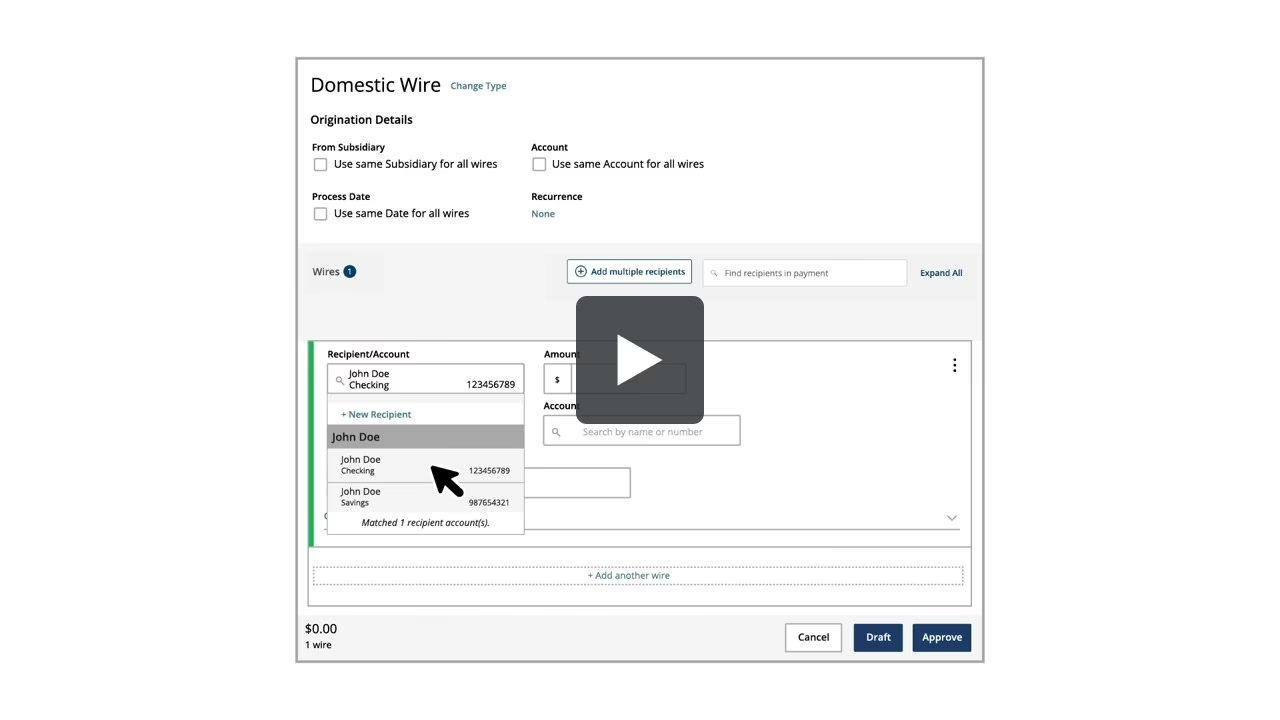
Creating a Domestic Wire
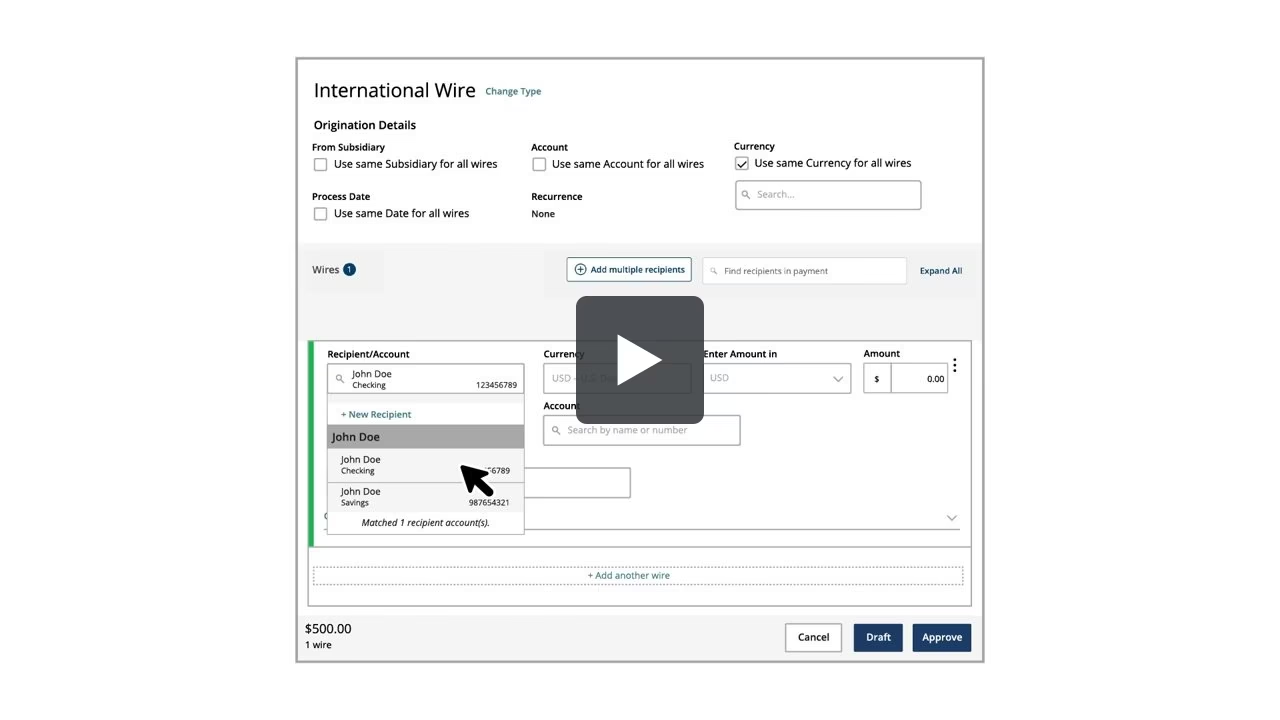
Creating an International Wire
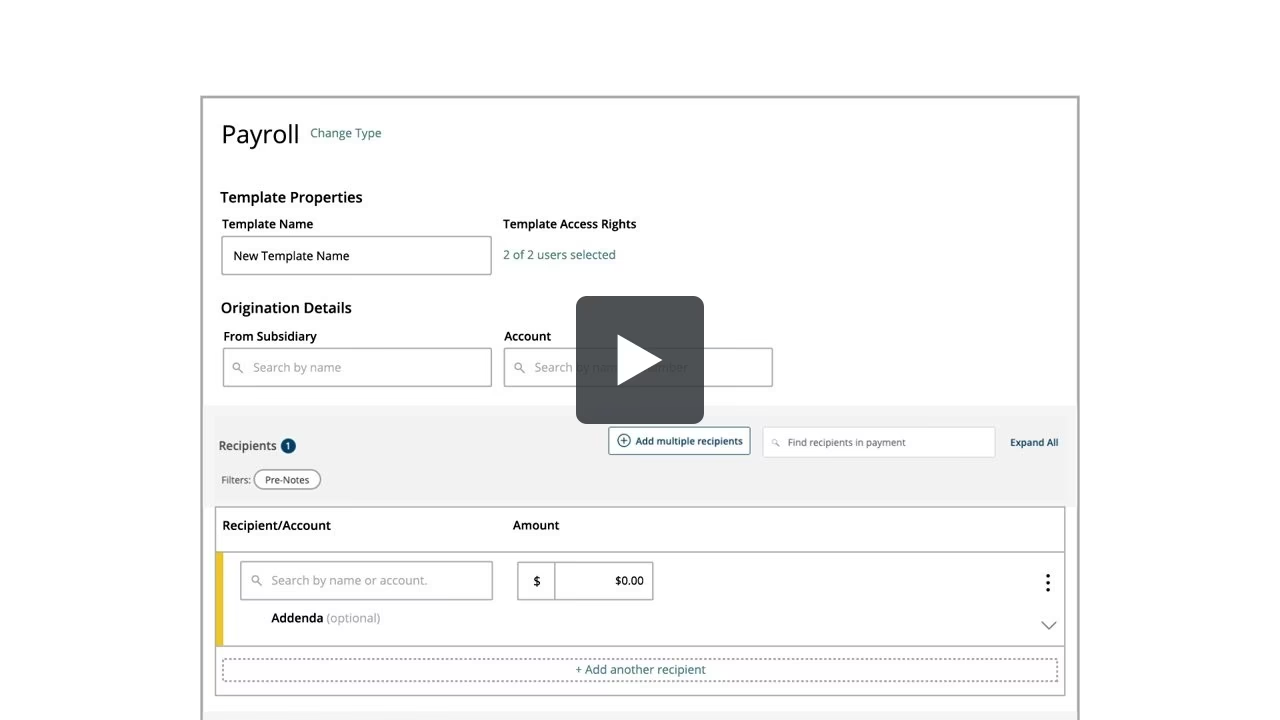
Creating Payroll, Multiple, & Split Payments
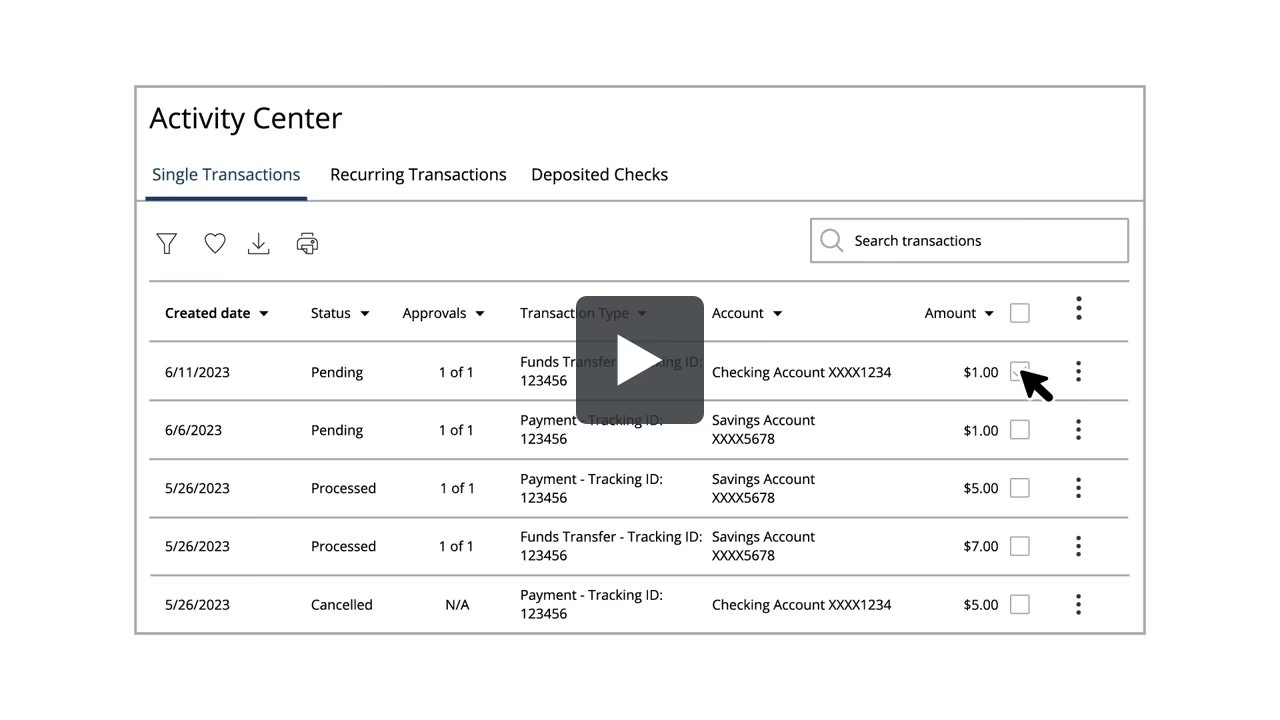
Approving or Cancelling Payments
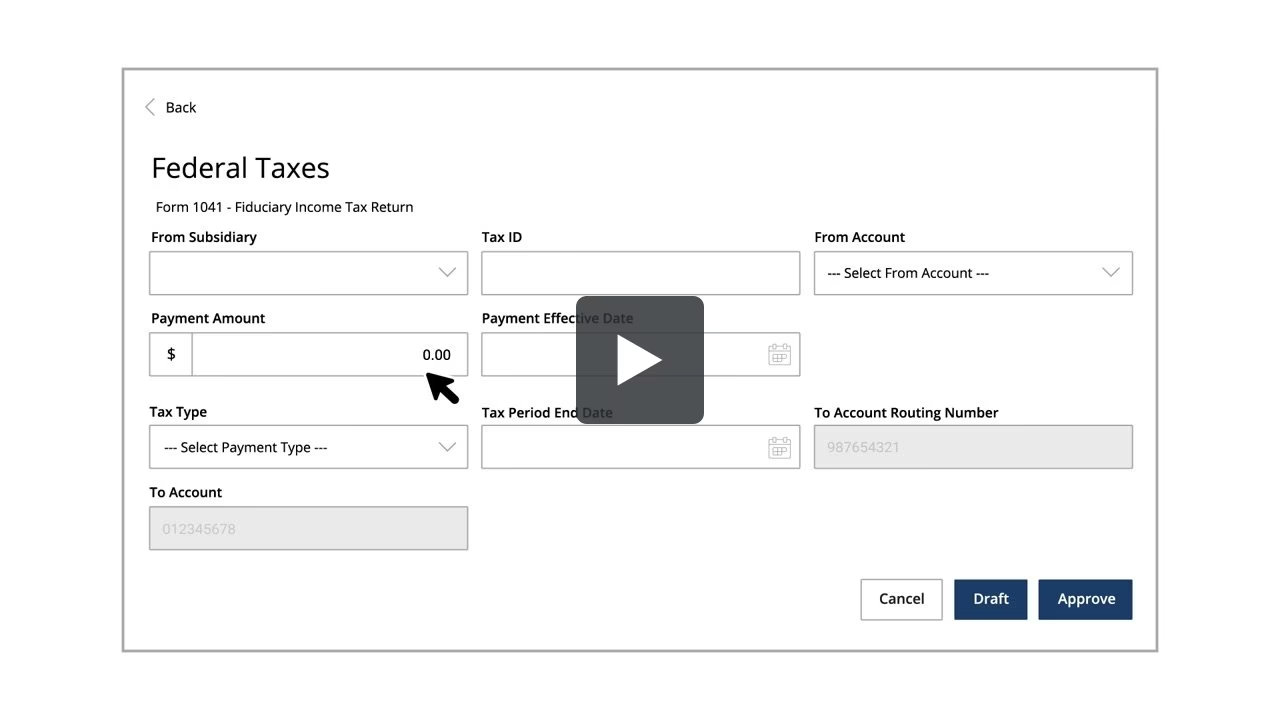
Tax Payments
FAQs
General FAQs
For questions, please contact us at (855) 548-6474 between the hours of 8:00am to 5:00pm Monday through Friday.
Log in to Online Banking. Select “Security Preferences” under the “Services” menu. Select “Change Password.” Enter your old password, create a new password, and confirm your new password following the onscreen password criteria.
Yes. To avoid delays in accessing the new system, please update your contact information to ensure the information we have on record is accurate. When we move to the new system, we will send a One-Time Passcode to the phone number and/or email address on our records, and you will not be able to access the system without it.
Yes. Once you have successfully logged into the Online Banking system, you can update your preferred contacts via the “Settings” > “Security Preferences” menu. Under this menu, you can change your login name, password, or set up additional Security Access methods.
Yes. Alerts can be set up. Account, Date, History, Insufficient Funds, and Transaction alerts can be established. Alerts can also be delivered via the system’s secure mailbox, or email, phone, or text. Dual authorization via alerts is also available to ensure transactions receive the proper approvals.
If you or your company are enabled for these services, they will appear in the left-hand navigation pane.
The cut-off time is 6:00 PM CT daily, excluding weekends.
The cut-off time is 4:00 PM CT daily, excluding weekends.
A strong password helps you protect your account. To create a strong password, keep the following guidelines in mind:
- Create unique, original passwords
- Use the longest practical password
- Use a mix of upper and lower case letters
- Include one or more numbers
- Do not use repeating or adjacent characters
- Use at least one of these special characters: `~!@#$%^&()_+={}|[]:”?,./
- Avoid using software or toolbars that store your password
- Change your password regularly
Remember to avoid the following password pitfalls:
- Do not choose passwords or security codes that others can easily guess
- Do not reuse passwords for multiple sites
- Never use your account numbers
- Do not use personal contact information, such as addresses or phone numbers
- Do not use personal information, such as your name, birthday, Social Security Number, passport number, or the names or information for family members or friends
- Do not use sequences of characters such as 1234567 or abcdefg
- Do not rely on look-alike substitutions of numbers or symbols alone. Passwords like P@ssw0rd are easy to guess, but can be effective when you also change the case of the letters, the length of the words, and misspellings, or when you use multiple unrelated words in a phrase
Pre-Conversion FAQs
TRB's new online banking service will be available beginning Monday, March 9, 2026 at 8:00 AM CT
Yes. In order to avoid delays in accessing the new system, please update your contact information to ensure the information we have on record is accurate. When we move to the new system, we will send a One-Time Passcode to the phone number and/or email address on our records, and you will not be able to access the system without it.
As we complete the system conversion, you will need to modify your Quicken/QuickBooks settings to ensure the smooth transition of your data.
In preparation for the conversion, we recommend you complete a final download before Wednesday, March 4, 2026 at 5:00 PM and disconnect your accounts in Quicken/QuickBooks. Quicken/QuickBooks will become available for use again in the weeks following conversion, at which point you may reconnect your applicable accounts to TRB Online Banking
Pending transactions submitted prior to respective cutoff times will be processed; however, please note that transactions not yet processed prior to cutoff times will still be processed, but may be delayed.
We recommend scheduling time-sensitive transactions early. See a full timeline of important dates above.
Recurring transactions will not convert to the new system automatically, payment templates will need to be recreated and transactions rescheduled.
We recommend downloading payment template information and necessary records before the March 6 cutoff time to make template rebuilding more efficient.
Business Online Banking FAQs
Business Online FAQs
If your online banking profile is set up to add users, you will be able to do so. Contact a Treasury Management representative for help with this feature.
You may add as many users as you need to cover all the roles you have assigned to your organization.
Yes. You can set this up yourself or contact a Treasury Management representative for help with this task.
If you or your company are enabled for these services, they will appear in the left-hand navigation pane.
The cut-off time is 5:00 PM CT daily, excluding weekends and federal holidays.
The cut-off time is 3:00 PM CT daily, excluding weekends and federal holidays.
Pre-Conversion FAQs
Your new Business Online Banking service will be available beginning Monday, March 9, 2026 at 8:00 AM CT.
Yes. In order to avoid delays in accessing the new system, please update your contact information to ensure the information we have on record is accurate. When we move to the new system, we will send a One-Time Passcode to the phone number and/or email address on our records, and you will not be able to access the system without it.
As we complete the system conversion, you will need to modify your Quicken/QuickBooks settings to ensure the smooth transition of your data. In preparation for the conversion, we recommend you complete a final download before March 4, 2026 and disconnect your accounts in Quicken/QuickBooks. Quicken/QuickBooks will become available for use again in the weeks following conversion, at which point you may reconnect your applicable accounts to TRB Online Banking
You will receive an invitation to participate in online training sessions to learn more about your new Business Online Banking services. Training sessions will cover basic online functions such as viewing balances, transaction history, performing account transfers, Bill Payment, and more. In-depth training for outgoing Wire Transfer initiation and ACH transaction origination will be offered separately to users of those services.
Login/New Business User FAQs
A Secure Access Code (SAC) is a unique, single-use 6-digit code which protects against fraud by safeguarding your online transactions and sensitive information. A SAC is another level of authentication in addition to your Login ID and password, providing you stronger online security.
You choose how you want to receive your SAC: by text, email, or phone. We need your current contact information for you to receive your SAC.
No, once you have set up a SAC, you have the option to register your computer or device. Once your computer or device is registered, you will skip the SAC requirement when you log in again from the same device. To register your computer or device, click “Register Device” at login.
Contact Us
Have a question? We can help!
Call us 800-580-6536
or email us tmconversion@trb.bank
Important Fraud Reminder
TRB’s New Online Banking is launching soon. Upgrades like these can attract increased phishing and fraud attempts.
Remember: TRB will never contact you to ask for confidential information, like your Secure Access Code, token passcode, CVV, or PIN.
In digital communications, never click on links provided through text message or email.